NEW! AI Meetup | NOV 04
NEXT MEETUP Wednesday, November 4
6.00p to 8.00p
$0/person
Love it or hate it, AI is already reshaping how we think, work, and make things. Some of us are thrilled, some are terrified, and plenty of us are a turbulent mix of both. Either way, the choices we make now about how we use AI will shape how the future lands.
Not every tool in the shop plugs into the wall or needs safety glasses. This one runs on a laptop. And like any powerful tool, it deserves the respect we give the table saw: know what it’s for, know where it fails, and decide for yourself when to reach for it.
That’s why this is a meetup, not a class.
This AI Meetup is an open table for raising hard questions. What is AI actually good for? Where does it go wrong? What should we hand off to it, and what should we never hand off? What kind of future are we hoping to build with it?
Maybe you use AI every day, maybe you tried it once and weren’t impressed, or maybe you’ve chosen to avoid it on principle. Wherever you’re coming from, you belong in this conversation. Power users and coders, bring your workflows and your hard-won lessons. We’ll share how we use a team of AI collaborators behind the scenes here at The Facility, and we want to see what you’ve built. Skeptics, bring your skepticism. It’s one of the most useful things in the room.
What we hear at the table will shape the AI programming we offer next.
Ready to join us? There are no prerequisites for this meetup. To register, click on the next available date (highlighted in green below) and check out through the shopping cart.

MEETUP HOST_ Brenn Nieva
I’m a recent graduate of Western Washington University with a background spanning software development, machine learning, data visualization, and emergency medicine — the throughline being translating complicated systems into something people can actually use.
That’s what pulled me into hosting this meetup. AI tools are genuinely useful, but only once you know where they break — and I want to get you there fast. What I hope you walk away with isn’t just knowing how to use a tool. It’s the confidence to ask it a sharper question, and to know what to double-check before you trust the answer.
Outside the shop, you’ll usually find me climbing or digging into emergency-response data. I also have chair schematics I’ve been meaning to build here myself — don’t be surprised if you see me on the other side of the workbench soon.
AI tools are becoming as ordinary as a web browser, but the conversation about when and where to leverage them hasn’t caught up. Most of what’s out there teaches the how: which buttons to push, which prompts to copy. We’re more interested in the why: when AI genuinely helps, where it quietly makes things worse, and how to keep your own judgment in the driver’s seat.
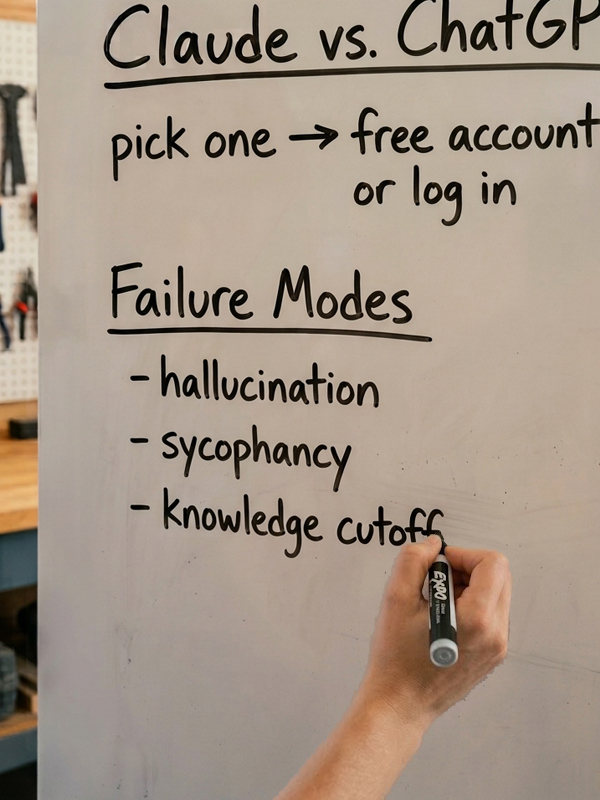
Brenn will open with a short grounding in what these tools actually do and three ways they commonly fail: hallucination, sycophancy, and knowledge cutoff. Then we open the floor. At the door, you’ll jot down one thing you wish AI could help with and one thing you hope it never touches. We’ll pick a few and explore them live, so everyone can see what works, what doesn’t, and why it matters.
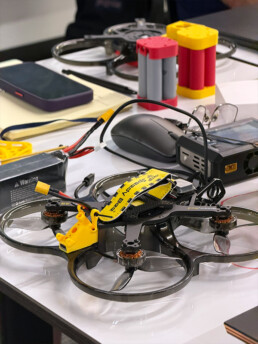
A note on what this isn’t. It’s not a coding workshop or an AI engineering lab. Building AI systems is important work, and degree programs are the right home for that. Our focus is boots-on-the-ground use: effective, responsible, and practical. We’re exploring how these tools fit into real work and real lives and assessing when and where they shouldn’t. It’s the same spirit behind our drone program, where we ask every pilot to be a responsible ambassador for the technology. So bring that engineering mindset. Just know that we’ll focus more on use cases and getting things done than on optimizing transformer attention layers.
Laptop optional. Bring Claude, ChatGPT, or whatever you use, or come watch and ask.
This 2-hour meetup takes place adjacent to a working shop. If you would like to explore our workshop full of tools please be prepared for the following safety precautions.
SAFETY
– Closed-toed shoes
– No loose-fitting clothing
– Tie back long hair
– Eye protection (available on site)
NOTE
Please make every effort to show up on time.
This meetup is open to anyone over 16 years old. Kids under 18 years old will need to be accompanied by a parent or guardian. Please feel free to pass this invitation on to others.